
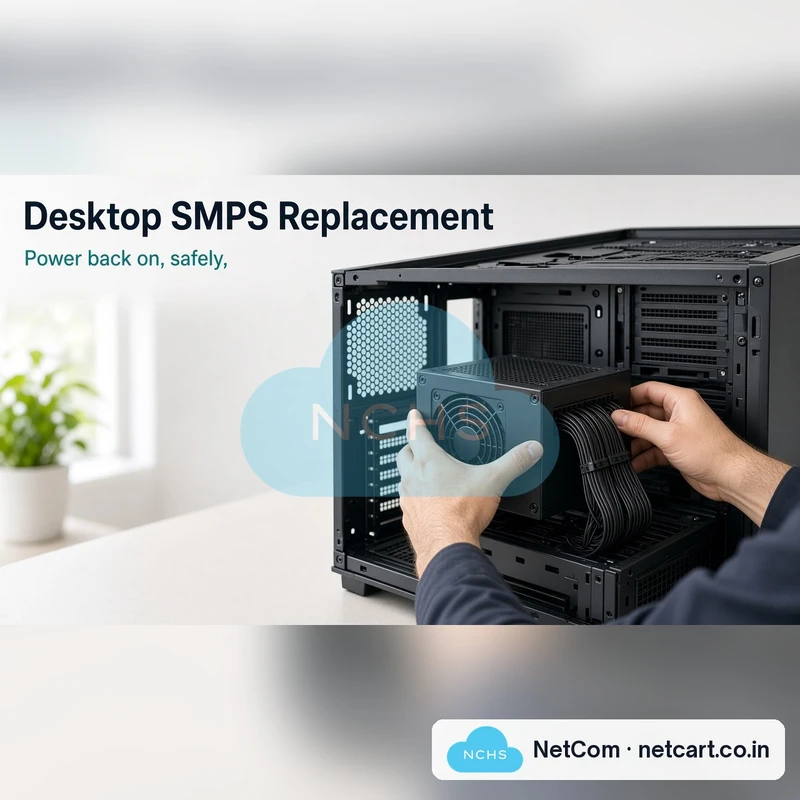
Desktop SMPS / Power Supply Replacement
Desktop not turning on, switching off by itself, or smelling of burning? The power supply (SMPS) is the most common cause. We confirm it's the SMPS, then fit a new one with the right wattage and connectors. Our engineer comes to your home or office.
- ✔ Confirm it's the SMPS before replacing
- ✔ Fitting only, or 450W / 500W SMPS supplied
- ✔ Right wattage and connectors for your PC
- ✔ Boot and stability tested
What we commit to: Fitted onsite during the visit if you have the power supply, or on a second visit within 1 to 2 working days if we supply it. If it has to go to our service centre, you get a written pickup receipt. Photo report and your OK before any extra charge, and your files stay private.
Onsite service area: Panvel (410206) and Kharghar (410210). Outside this area? Call +91 99692 07572 and we'll check.
Diagnosis: ₹249 at our service centre (walk in, Monday to Saturday, 10 AM to 6 PM) or ₹500 for an onsite visit. It covers diagnosis and advice, and simple problems are fixed within it. Bigger repairs are charged at the plan price, separate from the diagnosis charge.
Fitting only: you provide the SMPS. Part included options are for standard ATX power supplies; branded slim PCs and high-wattage gaming units are quoted for your model.
Available Coupons
Product Details
Choose your plan
| Plan | What you get | Price |
|---|---|---|
| SMPS fitting only | You have the power supply. We fit it with tidy cabling and test. | ₹399 |
| 450W SMPS + fitting | We supply a 450W SMPS (e.g. Ant Esports VS450L class) and fit it. For office and home PCs. | ₹2,799 |
| 500W SMPS + fitting | We supply a 500W SMPS with PCIe power (e.g. Ant Esports VS500L class) for PCs with an entry graphics card. | ₹2,999 |
Prices include GST.
What you get with each plan
SMPS fitting only
What we do
- Confirm at the visit it's the power supply, not the power cable, button or board
- Check the wattage and connectors your PC needs
- Remove the old power supply and fit yours with tidy cabling
- Test boot, voltages and stability
What we commit to
- Done at your home or office during the engineer's visit, usually within 1 hour
What we can't promise
- A power supply you supply that is faulty or too weak for your PC; we'll show you the test result
450W SMPS + fitting
What we do
- Confirm it's the power supply and note the connectors your PC needs
- Bring a 450W power supply (e.g. Ant Esports VS450L class)
- Fit it with tidy cabling
- Test boot, voltages and stability
What we commit to
- Part confirmed with you before fitting
- Done at your home or office during the engineer's visit if the engineer carries the part, otherwise fitted at your home or office on a second visit once the part arrives, within 1 to 2 working days
What we can't promise
- A specific brand: the unit is a compatible part matched to your PC
- Branded slim PCs (some HP, Dell, Lenovo) with special power supplies: quoted for your model
500W SMPS + fitting
What we do
- Confirm it's the power supply and check your graphics card's power needs
- Bring a 500W power supply with a PCIe connector (e.g. Ant Esports VS500L class)
- Fit it with tidy cabling
- Test boot, voltages and a graphics load
What we commit to
- Part confirmed with you before fitting
- Done at your home or office during the engineer's visit if the engineer carries the part, otherwise fitted at your home or office on a second visit once the part arrives, within 1 to 2 working days
What we can't promise
- Enough power for high-end graphics cards; those need a larger unit, quoted separately
What we commit to on every plan
- After you book online, our office calls you within 1 working hour of booking to confirm (working hours: Monday to Saturday, 10 AM to 6 PM; if you book after hours, we call within the first working hour of the next working day), then the engineer calls you to fix a visit time and place (your home or office)
- An engineer visits your home or office in Panvel (410206) or Kharghar (410210), diagnoses the problem and fixes it on the spot whenever it can be done there. Outside this area? Call +91 99692 07572 and we'll check
- An inspection report with photos on WhatsApp within 4 working hours of the visit
- Diagnosis charge: ₹249 if you bring the computer to our service centre, or ₹500 for an onsite visit. It covers the diagnosis and advice on the best fix, and simple problems are fixed within it. Bigger repairs are charged at our listed plan prices, separate from the diagnosis charge
- A written quote and your OK before any part or extra charge. If a part costs more than shown, we stop and ask first
- The diagnosis charge (₹249 at the service centre or ₹500 onsite) covers the diagnosis and advice
- If your computer has to go to our service centre, or you drop it off there yourself, you get a written receipt listing its condition, serial number and what was handed over (cabinet, monitor, cables). After the repair we bring it back and reconnect it, or you collect it if you walked in
- Turnaround times start from the engineer's visit, the pickup, or your walk-in
- Parts carry the supplier's or brand's warranty, and we handle the claim for you
- Your data stays private: we don't open, copy or keep your files, and hardware work doesn't touch your storage drive
- Old parts returned on request. Dead UPS batteries and other e-waste are disposed of safely
What we can't promise
- That every job can be finished onsite: some need service-centre tools, parts or testing time. The engineer tells you at the visit
- Parts for every model: older or branded PCs (HP, Dell, Lenovo) may use non-standard parts that take longer or aren't available. We tell you before you pay for it
- Your data: we don't touch it, but we can't guarantee it if a drive is already failing. Back up first
- New damage after the service (power surges, lightning, spills, moving the PC) isn't covered
- Faults unrelated to the work we did aren't covered by our warranty; we'll quote them separately
Before the engineer arrives
- If you smelled burning or saw sparks, keep the PC unplugged and tell us when you book
- Back up important files if the computer still turns on
- Clear space around the cabinet and keep a power point free for the engineer
- Keep your PC's model number handy (sticker on the cabinet), or a photo of the label on the power supply or motherboard, so we can bring the right part
- You don't need to give us your password. If a test needs Windows login, you can log in yourself while the engineer is there
- Remove pen drives, SD cards and discs
- Tell us about any power surges, lightning, spills or earlier repairs when you book
About part prices
Part prices are for standard desktop PCs (ATX or micro-ATX cabinets). Branded PCs (some HP, Dell, Lenovo) may need special parts, so we confirm the exact part and price for your PC before ordering. If your part costs more, we tell you first; you can cancel at no charge. Parts named with "e.g." are examples, not a promise of a specific brand.
How it works
- Book online: pick your plan above and add it to your cart.
- Our office calls you within 1 working hour of booking to confirm (working hours: Monday to Saturday, 10 AM to 6 PM; if you book after hours, we call within the first working hour of the next working day).
- The engineer calls you to fix a visit time and place (your home or office).
- The visit or walk-in: diagnosis costs ₹500 for an onsite visit, or ₹249 if you bring the computer to our service centre. It covers the diagnosis and advice on the best fix; simple problems are fixed on the spot within it, and bigger repairs are charged at the plan prices, separate from the diagnosis charge.
- If it can't be fixed onsite (parts, board work or longer testing), the engineer takes it with a written pickup receipt and brings it back after the repair.
Prefer to come to us? Instead of an onsite visit, bring your computer (just the cabinet and its power cable) to our service centre at Shop No. 7, Shree Laxmi Apt, opposite Godrej Plaza, Panvel 410206, Monday to Saturday, 10 AM to 6 PM.
Onsite service area: Panvel (410206) and Kharghar (410210). Outside this area? Call +91 99692 07572 and we'll check.
Related services
Slow PC? See RAM & SSD Upgrade (Fitting). Windows, drivers, virus or data problems? See Operating Systems. Moving to a new PC? See Old PC to New PC Transfer. Not sure what's wrong? Book Desktop Diagnosis – Service Centre or Onsite.
Good to know
How do I know it's the SMPS?
Common signs: no lights or fan at all, random shutdowns, or a burning smell. The engineer confirms it at the visit before replacing anything.
Is the SMPS included?
Only in the + fitting options. SMPS fitting only is for a power supply you already have.
Warranty on the SMPS?
The part carries the brand's warranty (usually 2 to 3 years for these units). We confirm it with your quote.
Need help choosing?
Call +91 99692 07572 or email swapnilgharat@nchs.co.in, Monday to Saturday, 10 AM to 6 PM.